

"I think the report is fine." That sentence is worthless — whether a human or an AI says it. Our system is not built on belief but on proof. And it enforces it.
Two terms, one goal
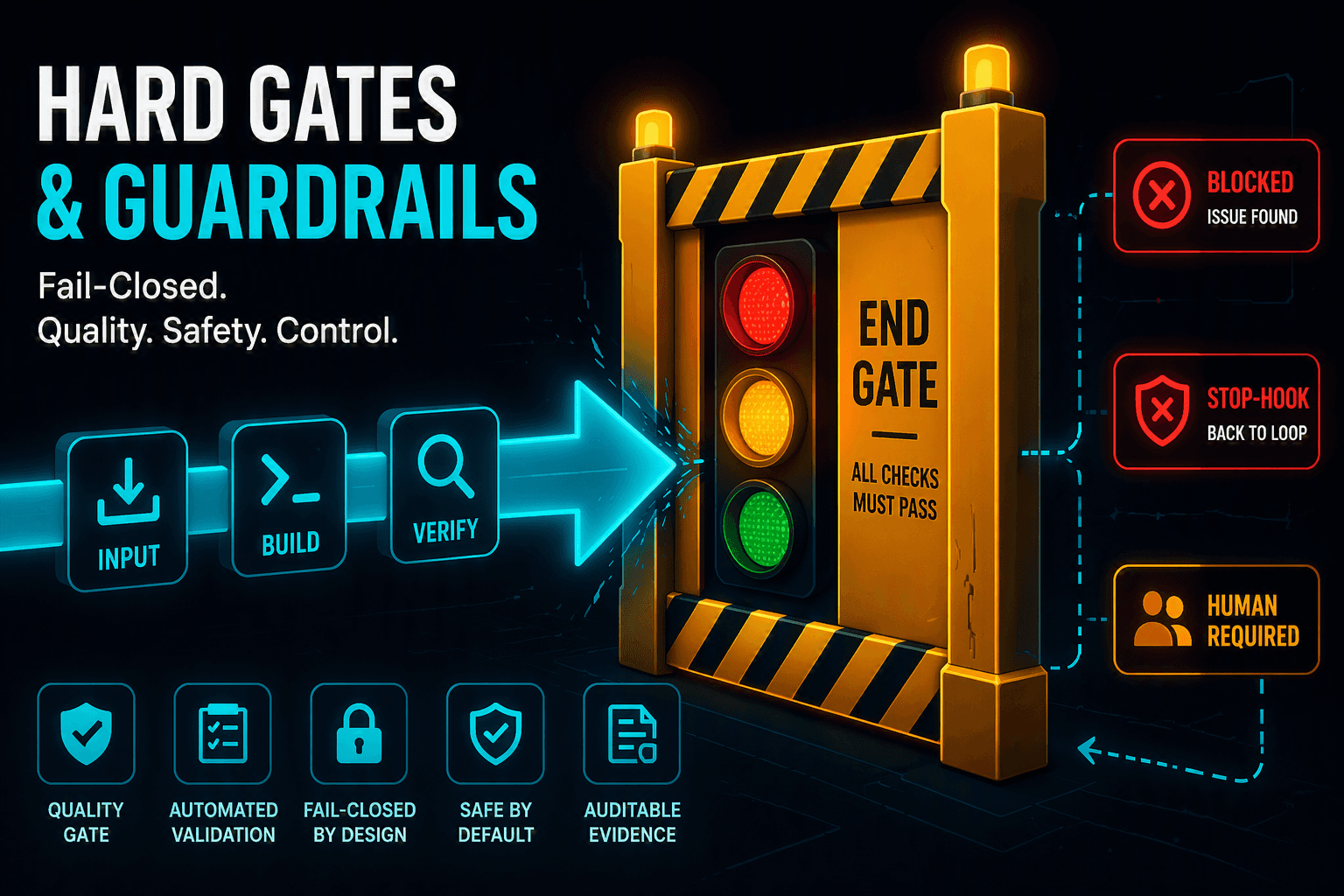
A gate is a mandatory checkpoint that the work must pass before it counts as done. A guardrail prevents veering off — it keeps the agent from dangerous actions. Gates secure quality, guardrails secure safety.
The humbling principle
The most important principle: self-assessment is never a done criterion. Only executable checks with an unambiguous exit code decide.
The hard end gate for Power BI
Before completion, a central end gate runs — fail-closed. It discovers all artifacts (report, semantic model, project file) and runs all applicable validators:
- A secret scanner — no tenant IDs, workspace IDs, or connection strings in the artifact.
- A model sanity check — the semantic model parses cleanly (including valid partition types).
- A report validator — checks every report strictly against structure and schema.
- An overlap check — differentiated: design overlaps (header, logo) are allowed, functional overlaps (charts, slicers) remain errors.
- A query-schema check and a template-compliance check — query schema and fidelity to the corporate template.
"Fail-closed" means: when in doubt, the barrier stays closed. If a checking tool is missing or a result is unclear, it is blocked rather than waved through. This exact gate would have caught a real bug where a report crashed in Power BI Desktop with "InvalidValueFormat" — before it reached the user.
The stop hook and independent sign-off
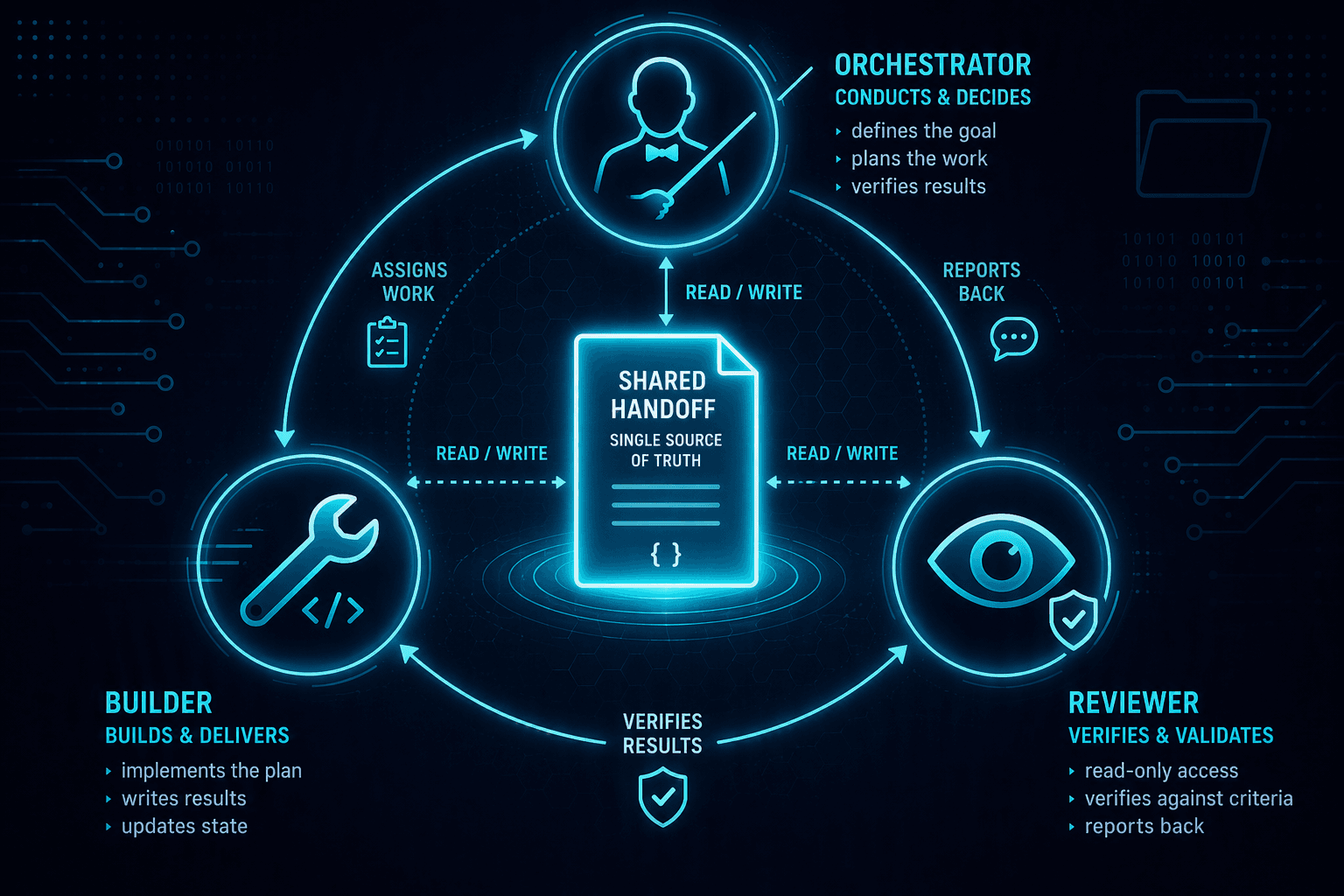
When the orchestrator declares itself done, a stop hook kicks in: it enforces the end gate — as long as it is not green, completion cannot become true, no matter what the agent "thinks". For the visual verdict, the system produces real screenshots via the Desktop bridge and has them signed off by the independent reviewer (PASS/NEEDS_CHANGES). Emergency brakes — maximum iteration count, cost budget, stagnation detection — end the loop for real and hand over to a human.
Guardrails for Power BI in detail
- German umlauts mandatory: real
ä ö ü, neverae/oe/ue; UTF-8 without BOM. Sounds trivial, but is a classic stumbling block in generated visual titles and labels. - No hardcodes: IDs and secrets are externalized, not written into the artifact.
- A guard against destructive actions blocks irreversible Fabric operations (deleting a workspace/capacity,
drop/delete) until human approval. - Tight write permissions: the builder may not touch central state files.
Two clean terminal states
The loop ends only in two ways: done or human required (e.g. a missing cloud/Fabric sign-in, or a data refresh that only Power BI Desktop can trigger).
Here, reliability is not a hope but an enforced property of the system.
Which checks would make your Power BI delivery harder to break? 👇
#PowerBI #AISafety #QualityGates #LoopEngineering #MicrosoftFabric #Governance