

There are new features and bug fixes for the PBI Documentation tool.
After the major release around complete Fabric workspaces, the template editor, version comparison and the new export formats, the journey continues. The community had one clear wish: to document not only semantic models and reports, but every individual Fabric element. That is exactly what this update delivers – together with a much more robust local connection to Power BI Desktop.
🚀 What's new?
🧩 Documentation of individual Fabric elements
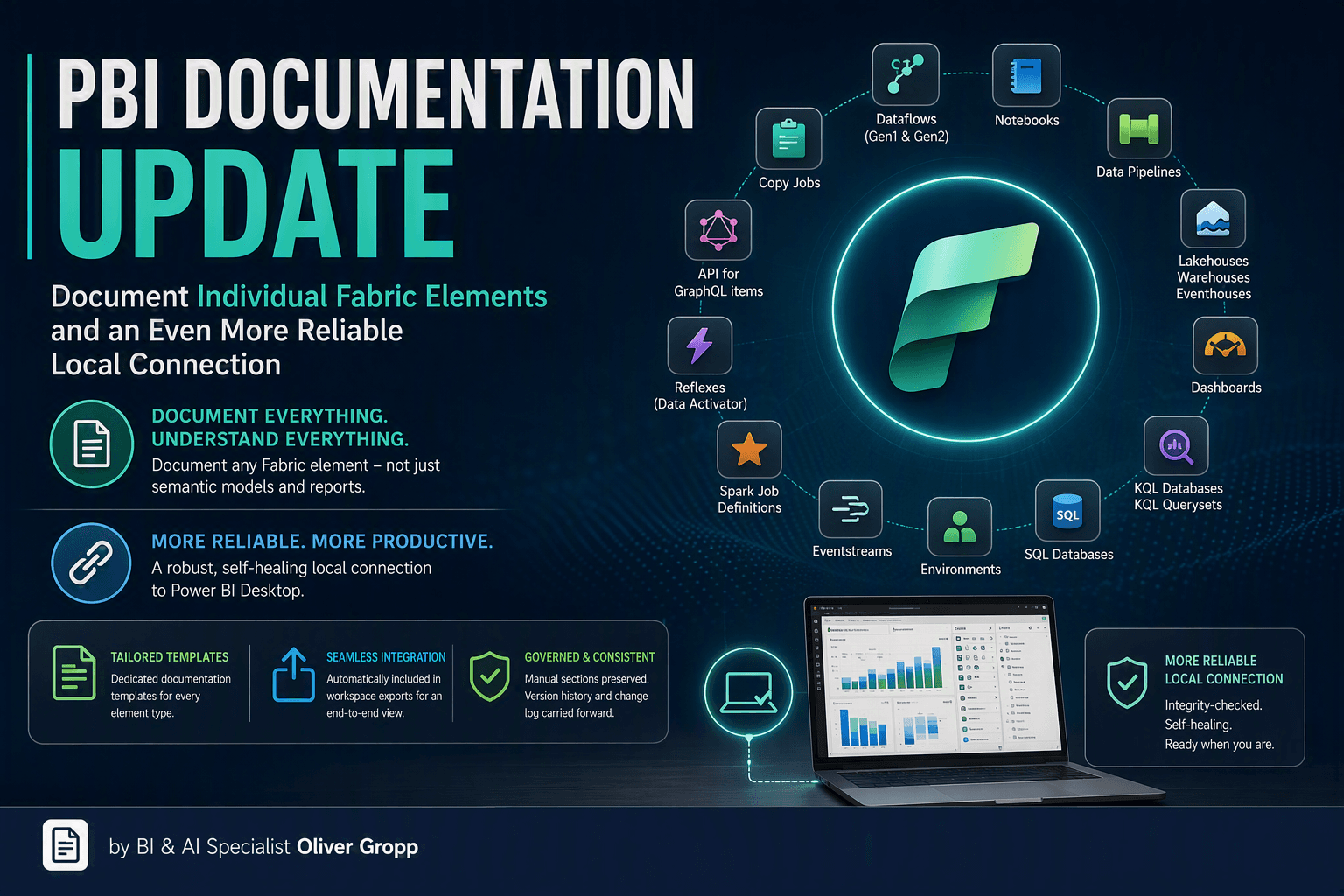
Until now the focus was on semantic models and entire workspaces. Now every individual Fabric element can be documented specifically via workspace, element type and element ID.
Supported elements include:
- Dataflows (Gen1 & Gen2)
- Notebooks
- Copy Jobs
- Data Pipelines
- Lakehouses, Warehouses and Eventhouses
- Dashboards
- KQL databases and KQL querysets
- SQL Databases
- Environments
- Mirrored Databases
- Eventstreams
- Spark Job Definitions
- Reflexes (Data Activator)
- API for GraphQL items
This means the tool no longer covers just the classic Power BI part, but the full breadth of a modern Fabric solution.
🗂️ Dedicated templates per element type
You document a notebook differently than a warehouse or a data pipeline. That's why every element comes with its own tailored documentation template – and, as usual, you can adapt it to your governance and compliance requirements via the built-in template editor.
🔗 Seamless integration into the workspace export
The new elements are not an isolated feature: when you export a complete Fabric workspace, they are automatically captured with their own documentation and listed in the workspace overview. The result is a consistent, end-to-end picture of your entire BI and data platform.
And as before: when updating existing documents, manually maintained sections are preserved, while the version and change log are carried forward automatically.
🩹 More reliable local Power BI Desktop connection
When connecting to a locally opened Power BI Desktop report, the message Failed to resolve Python.Runtime.Loader.Initialize could occasionally appear – usually after a disk cleanup, cleanup tools, or an interrupted copy.
This is now fixed: the required .NET runtime component is now staged integrity-checked and atomically under %LOCALAPPDATA% (instead of the temp directory) and, on a load failure, is automatically rebuilt self-healing with a fresh copy. The local connection is noticeably more reliable as a result.
Ideal for:
- Developers who document quickly straight from Power BI Desktop
- Portable use without installation
Conclusion
With the documentation of individual Fabric elements, PBI Documentation evolves from a pure Power BI utility into a comprehensive documentation solution for the entire Microsoft Fabric platform – and thanks to the more reliable local connection, getting started is smoother than ever.
As always, I look forward to your feedback from the community. 🙌