

You know the feeling. You inherit a Power BI report from a colleague who left the team. Zero documentation. Dozens of tables, cryptic measures, unclear data sources. You spend days reverse-engineering the model – just to understand what's actually happening.
I've been there too many times. And the answer was always the same: "Documentation? There was no time for that."
The problem isn't willingness – it's effort. So I built a tool that reduces that effort to a minimum.
PBI Documentation – Automatic Documentation for Power BI
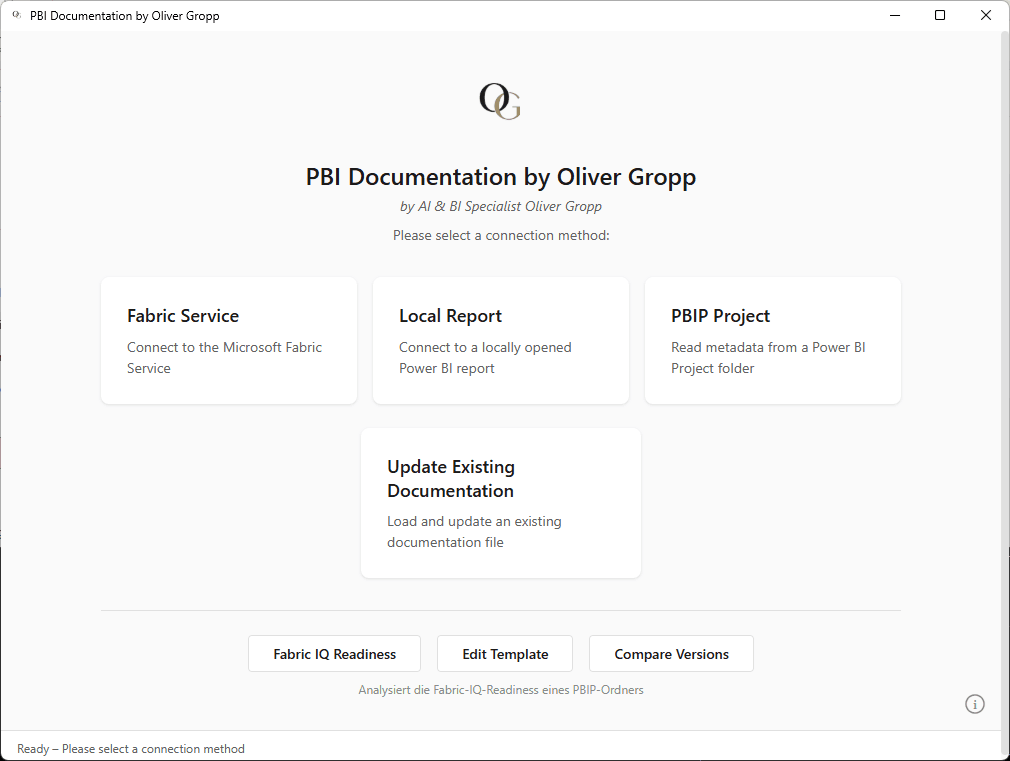
PBI Documentation analyzes your Power BI reports and automatically generates complete, structured documentation – in minutes instead of hours.
What the tool automatically detects and documents:
- 📊 Data Model – Tables, columns, relationships, cardinalities
- 📐 DAX Measures – All measures with formulas and descriptions
- 🔗 Data Sources – Origin, systems, schemas
- 🔄 Power Queries – Transformation steps and M code
- 🔒 Row Level Security – Roles and filter logic
- 📈 Visuals – Overview of all visualizations used

Three Ways to Connect Your Report
- Microsoft Fabric Service – Connect directly via SSO to your workspace
- Local Report – Analyze an open Power BI Desktop report
- PBIP Project Files – Read a Power BI Project folder structure
More Than Just Documentation
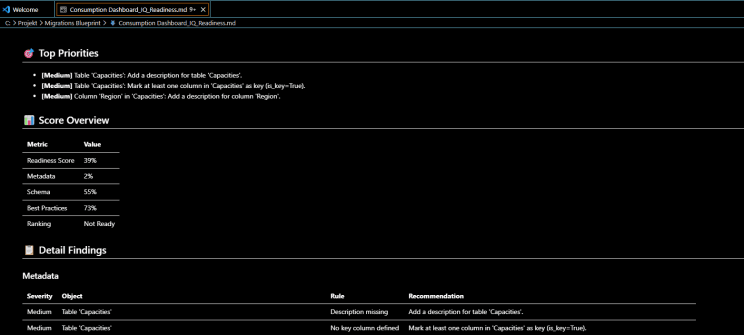
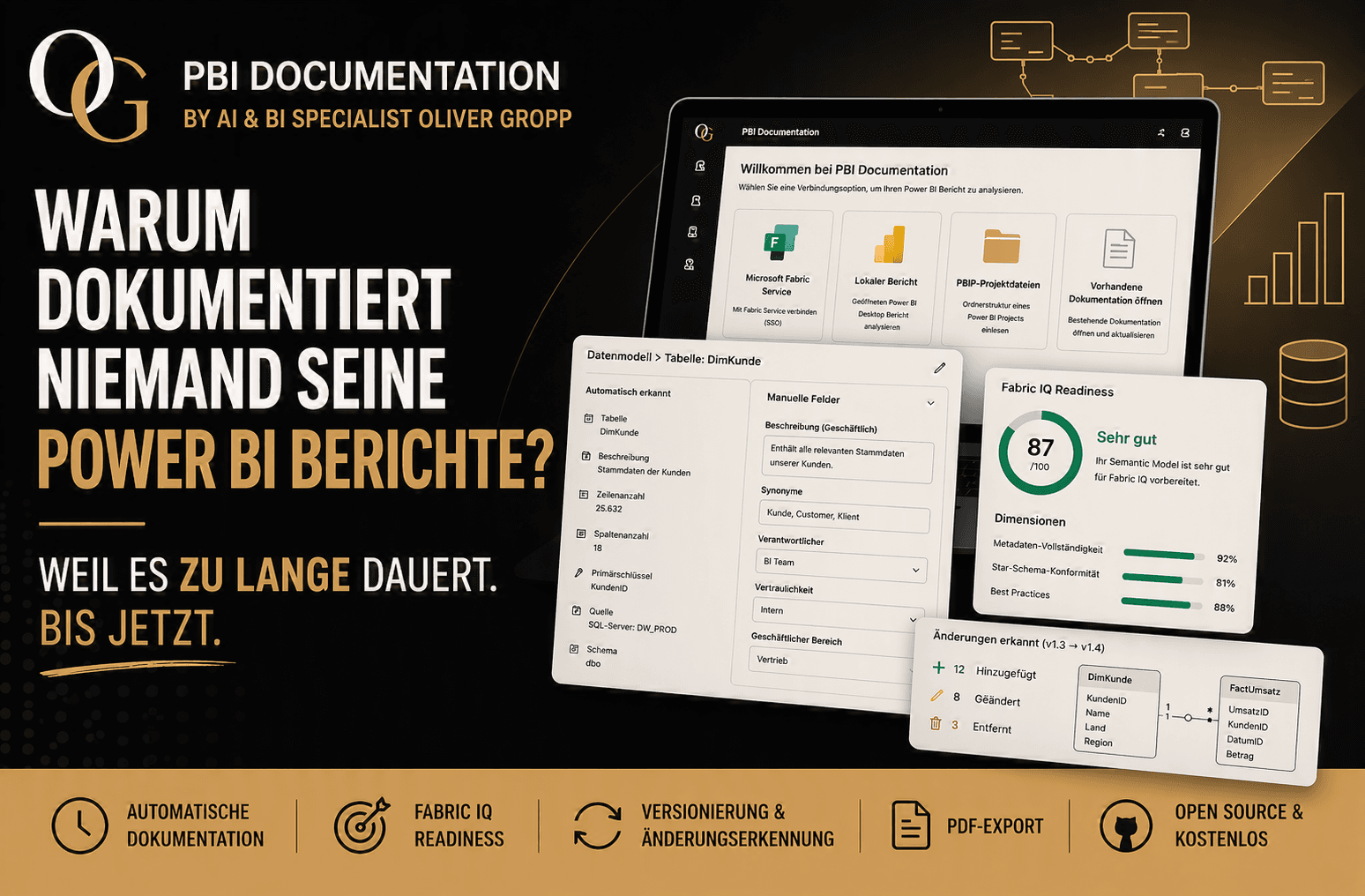
🎯 Fabric IQ Readiness Analysis
How ready is your semantic model for Fabric IQ? The tool analyzes three dimensions:
- Metadata completeness
- Star schema conformity
- Best practices (naming, performance, visibility)
📋 Endorsement Analysis
How well-maintained are your metadata? Descriptions, synonyms, key columns – everything is evaluated and you get a clear score.
🔄 Versioning & Change Detection
Updating existing documentation? The tool automatically detects what changed, creates a changelog, and bumps the version.
[📸 Screenshot: Diff view showing detected changes between two versions]
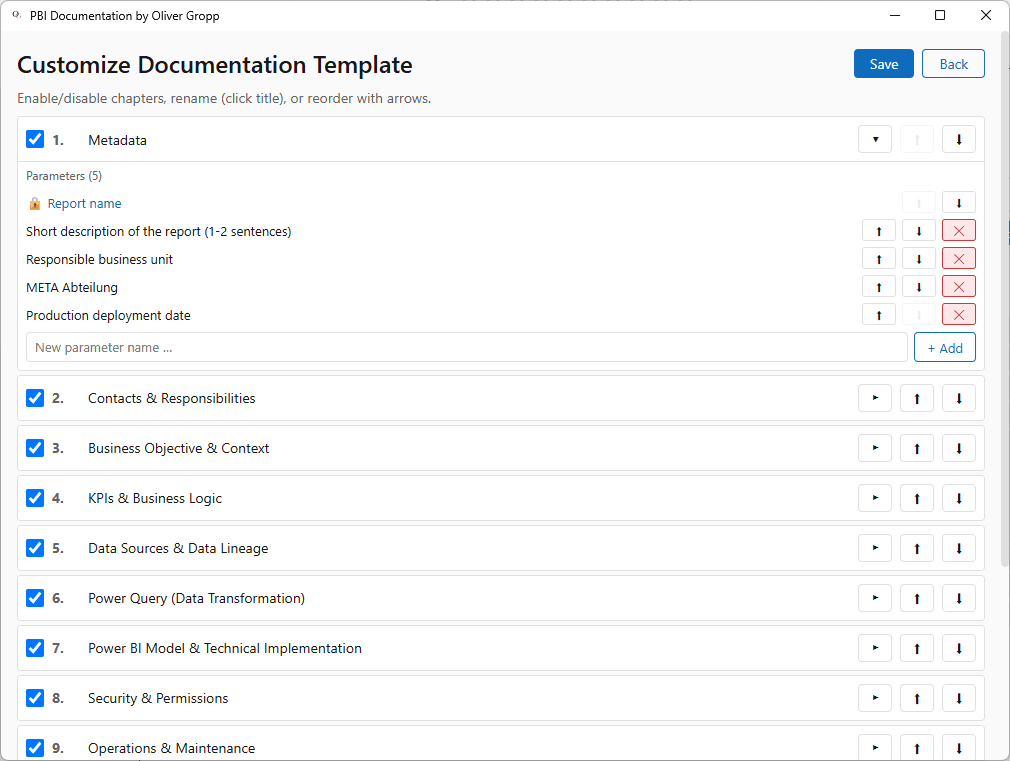
✏️ Template Editor
The template doesn't fit your organization? No problem – enable/disable chapters, reorder them, add custom parameters. All directly in the app.
📄 PDF Export
Export your finished documentation as PDF with one click – for audits, reviews, or archiving.
Open Source & Free
The tool is completely free and open source. No hidden costs, no license fees, no restrictions.
- 🌍 Available in English and German
- 💻 Windows desktop app with modern UI
- 📦 Simple installation via setup installer
- 🧩 Customizable documentation template
Who Is This For?
| Role | Benefit |
|---|---|
| Developers | Fast, complete technical documentation without copy-paste |
| End Users / Report Owners | Clear overview of data sources, KPIs, and logic |
| Team Leads | Enforce consistent documentation standards across the team |
| Executives | Ensure compliance, audit-readiness, and knowledge transfer |
What Does This Mean in Practice?
❌ Without the tool: Undocumented reports, knowledge silos, days of onboarding during handovers, audit risks.
✅ With the tool: Every report is documented in minutes – complete, consistent, and traceable. New team members understand the model immediately. Even an inherited, undocumented report can be analyzed and documented on the spot.
I Need Your Feedback! 💬
The tool is ready and working – but now I want to hear from you:
- 🤔 How do you currently document your Power BI reports? (Not at all? Wiki? Excel? Confluence?)
- 📝 What chapters/fields would you need in a documentation template?
- 💡 What features are you missing?
You'll find the download link in the comments. Try it out and let me know what you think!
#PowerBI #OpenSource #DataDocumentation #BusinessIntelligence #FabricIQ #DataEngineering #Documentation #FreeTools #DataGovernance #PowerBICommunity