

Dynamic Data Masking in Microsoft Fabric: Data Protection Directly at the Data Layer
Organizations today face the challenge of making data available to a broad user base while simultaneously protecting sensitive information. This is especially important for personally identifiable information (PII) such as email addresses, phone numbers, credit card details, or salary information, where granular access control is essential. One way to address this challenge is through Dynamic Data Masking (DDM) in Microsoft Fabric. This feature allows sensitive data to be automatically masked for specific user groups without modifying or duplicating the underlying data.
What Is Dynamic Data Masking?
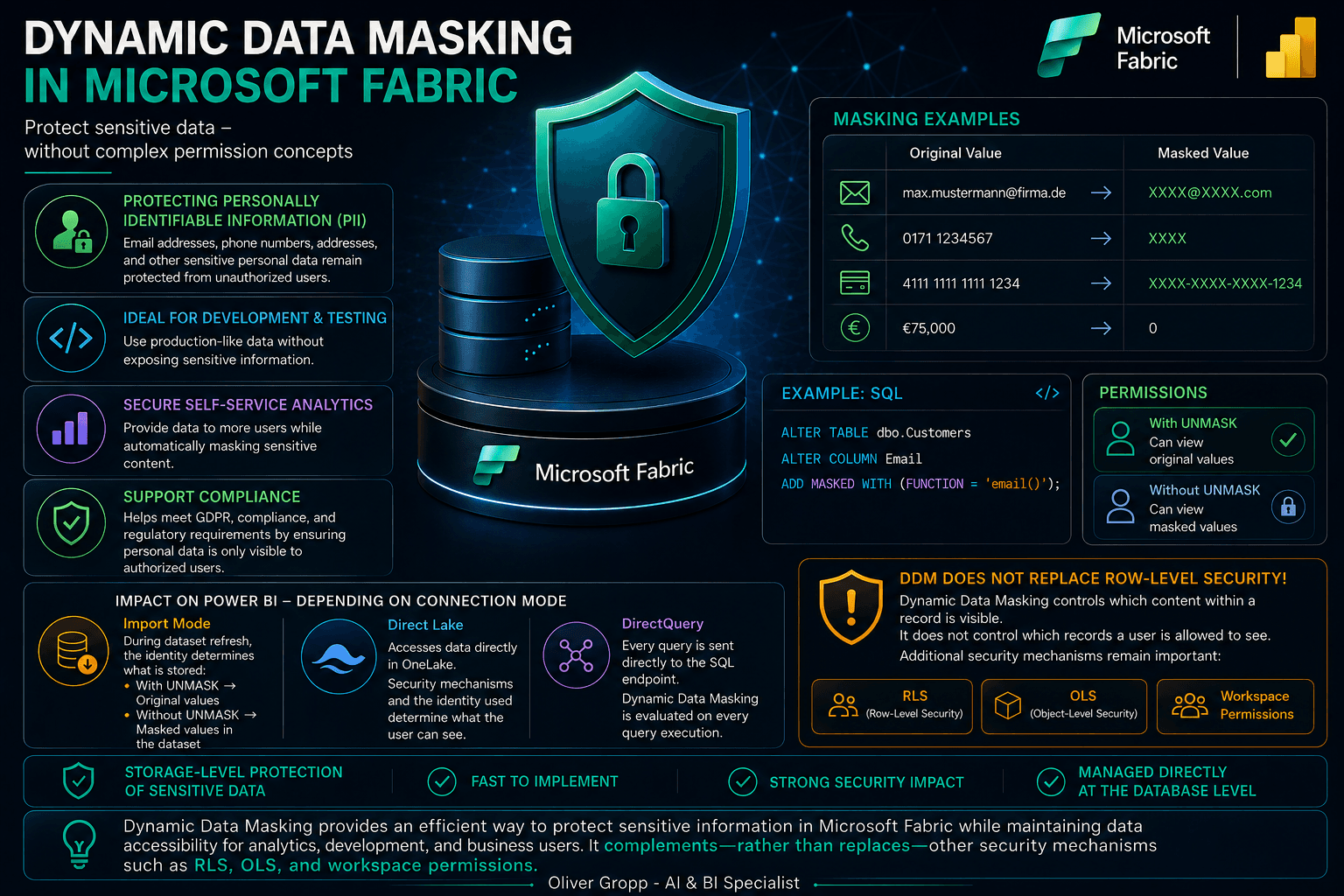
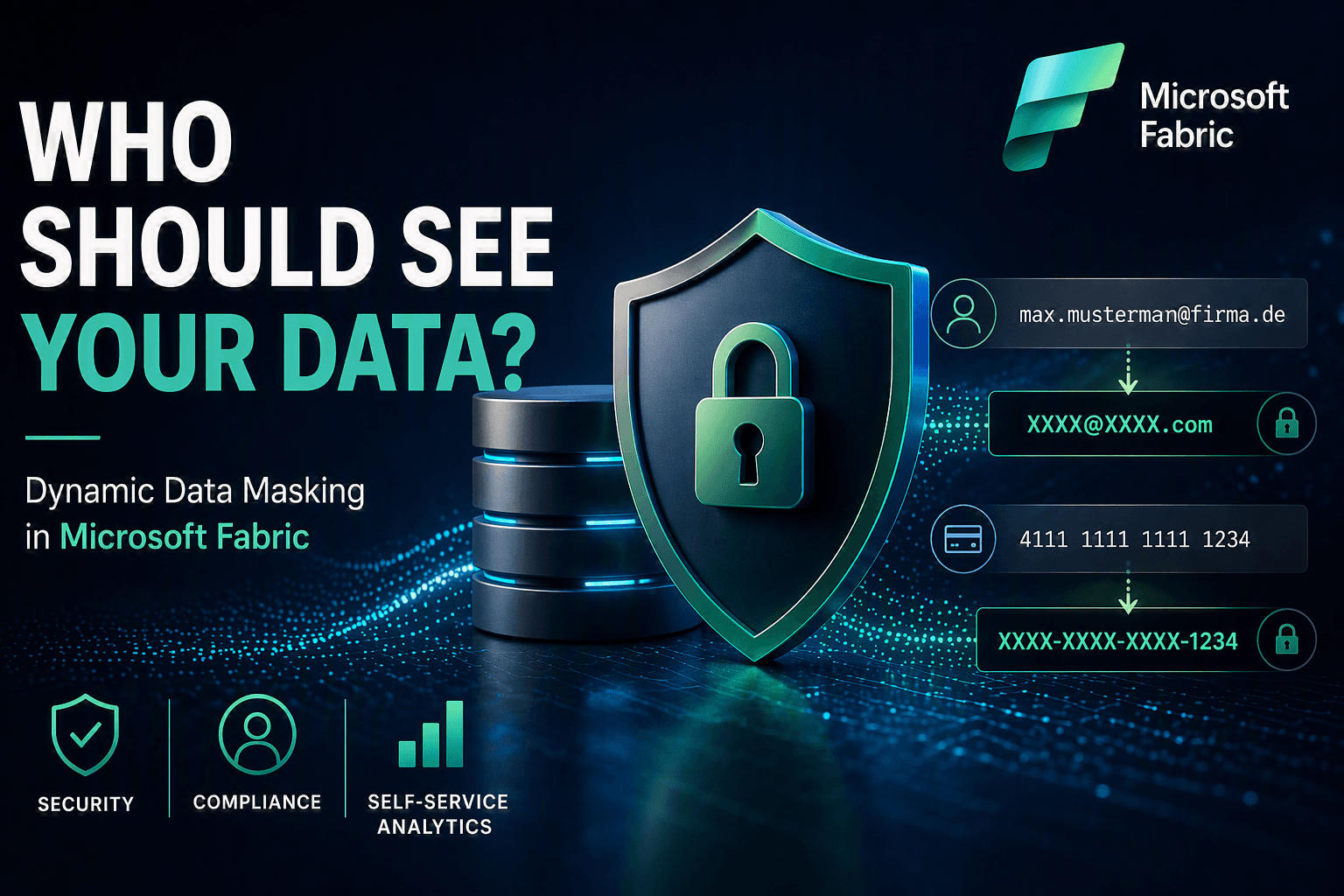
Dynamic Data Masking is a security feature that dynamically obscures data at query time. The original data remains unchanged in the database, while users without the appropriate permissions only see masked values.
Example
| Original Value | Masked Value |
|---|---|
| max.mustermann@company.com | XXXX@XXXX.com |
| +49 171 1234567 | XXXX |
| €75,000 | 0 |
| The key advantage is that masking is applied only when the data is queried. This eliminates the need for additional tables, views, or ETL processes. |
Use Cases for Dynamic Data Masking
Dynamic Data Masking is particularly useful in the following scenarios:
1. Protecting Personally Identifiable Information (PII)
Business users often require access to customer data but should not necessarily view complete personal information. Examples include:
- Email addresses
- Phone numbers
- Social security numbers
- Address information
2. Development and Test Environments
Developers require production-like data for testing purposes, but sensitive information should not be exposed. Dynamic Data Masking enables organizations to use real-world datasets while keeping confidential information hidden.
3. Self-Service Analytics
As part of data democratization initiatives, more users are gaining direct access to data platforms. DDM makes it possible to provide access to a wider audience without exposing all sensitive information.
4. Compliance Requirements
Organizations can support regulatory requirements such as GDPR by ensuring that personal information is fully visible only to authorized users.
Implementing Dynamic Data Masking in Microsoft Fabric
In Microsoft Fabric, Dynamic Data Masking is currently configured at the SQL endpoint level of a Lakehouse or Data Warehouse. Masking is defined directly on individual columns.
Example: Masking an Email Address
ALTER TABLE dbo.Customers
ALTER COLUMN Email
ADD MASKED WITH (FUNCTION = 'email()');Example: Default Masking
ALTER TABLE dbo.Customers
ALTER COLUMN PhoneNumber
ADD MASKED WITH (FUNCTION = 'default()');Example: Custom Partial Masking
ALTER TABLE dbo.Customers
ALTER COLUMN CreditCard
ADD MASKED WITH (
    FUNCTION = 'partial(0,"XXXX-XXXX-XXXX-",4)'
);In this example, only the last four digits of the credit card number remain visible.
Permissions for Viewing Unmasked Data
Masking only applies to users who do not have permission to view the original data. Users with the required permissions can continue to access the complete values.
Example
GRANT UNMASK TO [DataSteward];This grants the user or role DataSteward access to the original, unmasked values.
Benefits of Dynamic Data Masking
Implementing DDM offers several advantages:
- Protection of sensitive data without creating data copies
- Easy implementation at the database level
- Low administrative overhead
- Support for compliance and regulatory requirements
- Improved security in self-service analytics scenarios
- No changes required to existing applications
Impact on Power BI Reports
A common question is:
Will masked data also appear in Power BI? The answer is: Yes – depending on the connection mode and the identity being used.
Import Mode
In Import mode, Power BI reads data from the Fabric Warehouse or Lakehouse during dataset refresh. The determining factor is the identity under which the refresh is executed:
- If the identity has the UNMASK permission, original values are imported.
- If the identity does not have the permission, masked values are imported into the semantic model. After the refresh, the dataset contains exactly the values that were retrieved during the import process.
Direct Lake
With Direct Lake, data is accessed directly from OneLake. The result depends on the security mechanisms applied at the data platform level and the identity used to access the data. In many scenarios, user-specific permissions are respected, allowing different users to see different results. For this reason, it is recommended to carefully review the overall security architecture.
DirectQuery
In DirectQuery mode, every user request is sent directly to the SQL endpoint. As a result, Dynamic Data Masking is evaluated every time a query is executed. This means:
- Users with the required permissions see the original values.
- Users without the required permissions see masked values. This behavior often makes DirectQuery the preferred option when Dynamic Data Masking must be consistently enforced through to the reporting layer.
Dynamic Data Masking Does Not Replace Row-Level Security
An important consideration: Dynamic Data Masking does not control which records a user is allowed to see. It only controls which content within a record is visible. To restrict access to rows, organizations must continue to use mechanisms such as:
- Row-Level Security (RLS)
- Object-Level Security (OLS)
- Workspace Permissions DDM should therefore be viewed as a complementary security measure rather than a replacement for existing security controls.
Conclusion
Dynamic Data Masking in Microsoft Fabric provides a fast and effective way to protect sensitive information directly at the database layer. The feature is particularly valuable for self-service analytics, development environments, and compliance-driven scenarios. However, it is important to understand its impact on Power BI. Depending on the connection mode and the identity used, reports may display either masked or unmasked values. For this reason, Dynamic Data Masking should always be considered as part of a comprehensive security strategy alongside Row-Level Security, Object-Level Security, and a well-defined permission model. For organizations that want to make sensitive data available in Microsoft Fabric without building separate data models for every use case, Dynamic Data Masking offers a powerful and relatively easy-to-implement solution.